
Installation
SplatPilot is a Blender extension: one .zip file per system that you install from Blender’s
preferences. The training engine comes inside it, so there is nothing else to download or set up.
Requirements
Section titled “Requirements”| You need | |
|---|---|
| Blender | 5.3 or newer |
| System | Windows (x64) or Linux (x64). macOS is not supported. |
| Graphics card | A GPU with Vulkan support and an up-to-date driver. SplatPilot trains on it. |
| GPU memory | The estimate in the panel shows what a splat needs before you start. Training a room in our tests took at most about 0.7 GB at Draft, under 1 GB at Standard and 2.8 GB at High. |
| Disk space | Rendered views take several gigabytes: 400 views of a room at High quality took 19 GB in our tests. The estimate shows the space before you start, and Clean Up frees it later. |
Install SplatPilot
Section titled “Install SplatPilot”-
Download the SplatPilot
.zipfor your system and keep it zipped.The file is called
splatpilot-<version>-windows_x64.zip.The file is called
splatpilot-<version>-linux_x64.zip. It needs glibc 2.34 or newer:ldd --versionprints the version your system has. -
In Blender, open Edit > Preferences > Get Extensions.
-
Click the drop-down arrow at the top right of the window, choose Install from Disk… and pick the
.zipfile. You can also drag the file onto Blender’s window. -
Blender installs SplatPilot together with the GPU library its engine uses. The extension asks for one permission, to read and write files: it writes rendered views, checkpoints and trained splats.
-
Open Edit > Preferences > Add-ons > SplatPilot and click Test GPU.
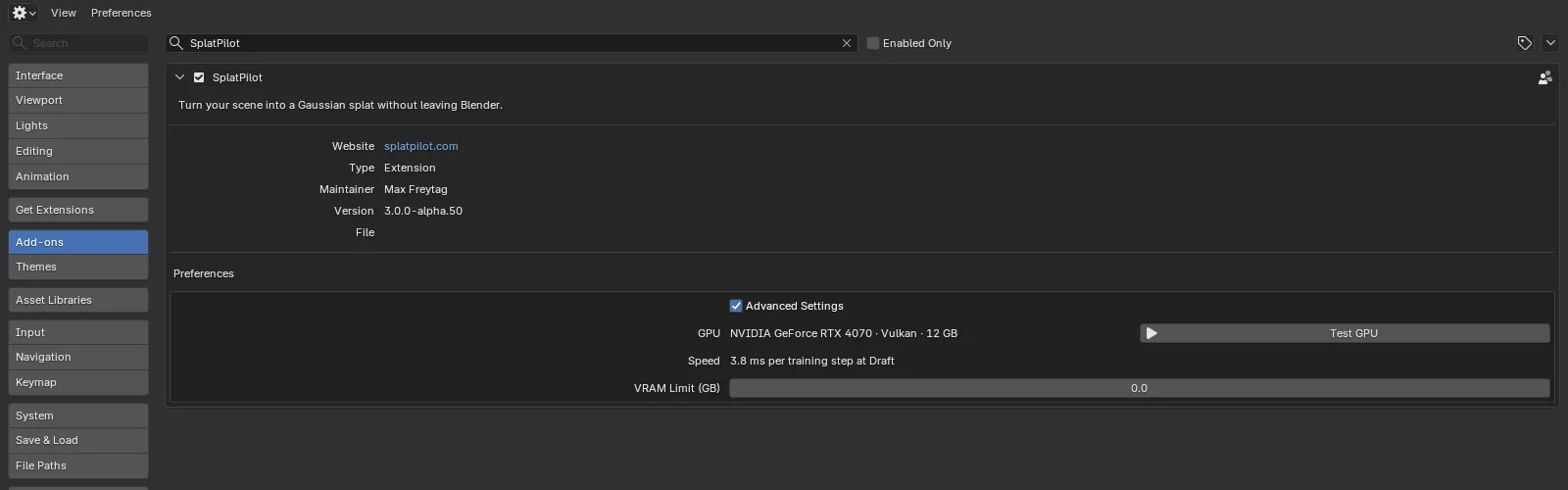
Why Test GPU first
Section titled “Why Test GPU first”Test GPU shows which graphics card SplatPilot trains on and how fast it is. It also prepares the engine’s shaders, which the very first training would otherwise do (that takes a minute or two). On NVIDIA cards it fills in the VRAM limit as well. You can skip it: the first training then waits at “Preparing the engine…” for a minute or two.
Check that it works
Section titled “Check that it works”Open a 3D Viewport, press N to show the sidebar and click the SplatPilot tab. You should see SplatPilot’s panels, Create Splat first and Setup below it. Continue with Your first splat.
If the preferences say “Engine missing (slangpy): reinstall SplatPilot to train”, the extension
did not install completely: install the .zip again. Rendering views and
exporting them as a training dataset work without the engine.
Update or remove SplatPilot
Section titled “Update or remove SplatPilot”- Update: install the newer
.zipthe same way. - Remove: in Edit > Preferences > Get Extensions, open SplatPilot’s menu and choose
Uninstall. Splats you made stay in your
.blendfiles, and thesplatpilotfolders next to your files stay on disk until you delete them (see Storage and Blender Projects).